
Update Build4 hadir dengan penambahan 12 pengenal varian virus baru. Bagi Anda pengguna PCMAV 2.0b sangat disarankan segera melakukan update, agar PCMAV Anda dapat mengenali dan membasmi virus lebih banyak lagi
Dan untuk mendapatkan dan menggunakan update PCMAV ini, Anda cukup menjalankan PCMAV Cleaner (PCMAV-CLN.exe), tentunya komputer harus dalam keadaan aktif terhubung ke Internet (non-proxy). Fitur Automatic Updates dari PCMAV akan secara otomatis men-download dan meng-update database dari PCMAV.
About Virus Hotum.vbs
Hotum.vbs. Satu lagi virus lokal jenis VBScript dikenal dengan nama Hotum.vbs. Memiliki ukuran sekitar 8KB. Ia akan aktif otomatis dengan mengganti registry userinit milik Windows serta membuat item run baru. Mudah mengenali komputer yang telah terinfeksi virus ini. Lihat pada informasi jam windows di pojok kanan bawah, waktu AM akan diganti menjadi “Hotum” sementara untuk PM diubah menjadi “Tombom”.
Read More...
PCMAV 2.0b Update Build4 (Virus Hotum.vbs)
Internet Download Manager 5.17 Build 4 Final
Internet Download Manager kembali melakukan update versi yang baru : IDM 5.17 Build 4 Final. Sehingga untuk sementara IDM telah melakukan beberapa kali update pada versi 5.17 dari Build 2 sampai saat ini Build 4. Tentu update ini dilakukan memperbaiki dan meningkatkan kinerja Program Internet Download Manager ini.
Jika kita selama ini sudah terbiasa menjadikan IDM sebagai Download Manager, maka rasanya kita perlu untuk melakukan update. Untuk yang belum mempunyai IDM bisa menggunakan software ini sebagai download manager. Karena bisa meningkatkan kecepatan download ketika anda mengunduh suatu file di internet
Internet Download Manager 5.17 has a smart download logic accelerator that features intelligent dynamic file segmentation and safe multipart downloading technology to accelerate your downloads. Unlike other download accelerators and managers that segment files before downloading starts, Internet Download Manager segments downloaded files dynamically during download process. Internet Download Manager reuses available connections without additional connect and login stages to achieve better acceleration performance.
Beberapa Feature yang ditambahkan pada versi IDM 5.17 :
* Completely remade the logic of download resume feature and added the possibility to resume downloads for sites that use temporary download addresses or when download addresses expire
* Added the possibility to select a queue when you press on OK button on “Download all links with IDM” dialog and when you press on “Download Later” button on “Download file info” (start download) dialog
* Added a link to the page where download was taken over from a browser to “File Properties” dialog
* Made many other small improvements and fixed all known bugs
What’s new in version 5.17 Build 4:
* Fixed a critical bug with downloading files over 4GB
* Improved media file recognition in web players in IE
* We have added these features in response to IDM user requests.
* Added “Add batch download from clipboard” menu item to “Tasks” menu
* Significantly revised parsing of http protocol headers. Besides increasing download speed, it also solved problems with flaw programmed firewalls and antiviral software. In particular “CA Internet Security Suite” has a serious bug in its network filters, because of which IDM versions from 5.16 till 5.17.3 could not parse headers and download some files correctly.
Petunjuk Install IDM 5.17 Final :
* Download dan ekstrak IDM v 5.17
* Lakukan proses installasi pada file idman517.exe
* Jika sebelumnya sudah terinstall IDM versi lama bisa menimpa dan melanjutkan installasi dengan file installer IDM yang baru
* Setelah proses installasi selesai, gunakan file yang terdapat didalam folder Patch 5.xxx agar IDM 5.16 menjadi Full Version
* Selanjutnya jalankan file Patch 5.xx (2008-12-06).exe
* Finished
Read More...
Internet Download Manager 5.17 Final
Internet Download Manager kembali melakukan update versi yang baru : IDM 5.17 Final. Setelah sebelumnya 3 kali mengeluarkan IDM 5.16 dari build 1 sampai dengan IDM Build 3. IDM 5.17 Final dirilis untuk memperbaiki bug ketika mendownload file diatas 4 GB dan juga peningkatan file media pada web player di IE. Internet Download Manager merupakan sebuah pilihan yang sangat tepat sebagai Download Accelerator dan Download Manager, karena dapat meningkatkan kecepatan download.
Jika kita selama ini sudah terbiasa menjadikan IDM sebagai Download Manager, maka rasanya kita perlu untuk melakukan update. Untuk yang belum mempunyai IDM bisa menggunakan software ini sebagai download manager. Karena bisa meningkatkan kecepatan download ketika anda mengunduh suatu file di internet
Internet Download Manager 5.17 has a smart download logic accelerator that features intelligent dynamic file segmentation and safe multipart downloading technology to accelerate your downloads. Unlike other download accelerators and managers that segment files before downloading starts, Internet Download Manager segments downloaded files dynamically during download process. Internet Download Manager reuses available connections without additional connect and login stages to achieve better acceleration performance.
Internet Download Manager supports proxy servers, ftp and http protocols, firewalls, redirects, cookies, authorization, MP3 audio and MPEG video content processing. IDM integrates seamlessly into Microsoft Internet Explorer, Netscape, MSN Explorer, AOL, Opera, Mozilla, Mozilla Firefox, Mozilla Firebird, Avant Browser, MyIE2, and all other popular browsers to automatically handle your downloads. You can also drag and drop files, or use Internet Download Manager from command line. Internet Download Manager can dial your modem at the set time, download the files you want, then hang up or even shut down your computer when it’s done.
Beberapa Feature yang ditambahkan pada versi IDM 5.17 :
* Completely remade the logic of download resume feature and added the possibility to resume downloads for sites that use temporary download addresses or when download addresses expire
* Added the possibility to select a queue when you press on OK button on “Download all links with IDM” dialog and when you press on “Download Later” button on “Download file info” (start download) dialog
* Added a link to the page where download was taken over from a browser to “File Properties” dialog
* Made many other small improvements and fixed all known bugs
What’s new in version 5.17 :
* Fixed a critical bug with downloading files over 4GB
* Improved media file recognition in web players in IE
Petunjuk Install IDM 5.17 Final :
* Download dan ekstrak IDM v 5.17
* Lakukan proses installasi pada file idman517.exe
* Jika sebelumnya sudah terinstall IDM versi lama bisa menimpa dan melanjutkan installasi dengan file installer IDM yang baru
* Setelah proses installasi selesai, gunakan file yang terdapat didalam folder Patch 5.xxx agar IDM 5.16 menjadi Full Version
* Selanjutnya jalankan file Patch 5.xx (2008-12-06).exe
* Finished
Read More...
PCMAV 2.0a Update Build3
Update Build3 hadir dengan penambahan 30 pengenal varian virus baru. Bagi Anda pengguna PCMAV 2.0a sangat disarankan segera melakukan update, agar PCMAV Anda dapat mengenali dan membasmi virus lebih banyak lagi. Dan untuk mendapatkan dan menggunakan update PCMAV ini, Anda cukup menjalankan PCMAV Cleaner (PCMAV-CLN.exe), tentunya komputer harus dalam keadaan aktif terhubung ke Internet (non-proxy). Fitur Automatic Updates dari PCMAV akan secara otomatis men-download dan meng-update database dari PCMAV.
Namun bagi Anda yang ingin mendapatkan file update tersebut secara manual, Anda bisa men-download file-nya melalui beberapa alamat download yang saya sediakan di bawah.
Letakkan file hasil download tersebut (update.vdb) ke dalam folder \vdb. Jika sebelumnya telah terdapat file update yang lama, Anda cukup menimpanya. Pastikan sekali lagi, bahwa nama file update adalah update.vdb, jika berbeda, cukup ubah namanya. Dan nanti saat Anda kembali menjalankan PCMAV, ia sudah dalam keadaan kondisi ter-update.
Read More...
Task Manager Darurat Mengatasi Komputer Hang

Pernahkah mengalami kejadian tiba-tiba komputer hang, tidak ada respond dan kita hanya bisa menggerakkan mouse tanpa bisa menjalankan aplikasi lain ? Bahkan kadang jurus pamungkas “Task Manager” ( Ctrl+Alt+Del ) pun tidak berdaya menghadapi kondisi semacam ini. Sehingga mungkin ujung-ujungnya kita hanya menekan tombol Reset.
Meskipun tombol reset bisa mengatasi, tetapi kadang bisa beresiko kehilangan data, ada fie yang rusak dan sebagainya. Alternatifnya, kita bisa mencoba menggunakan software gratis AntiFreeze.
AntiFreeze mungkin memberikan alternatif terakhir untuk mengatasi kejadian seperti diatas. Kejadian seperti itu bisa disebabkan oleh penggunaan CPU yang berlebihan (hampir 100%) atau penggunaan Memory yang terlalu besar, sehingga kita sama sekali tidak bisa membuka, berpindah atau menutup aplikasi apapun.
Setelah software ini di install, maka untuk mengaktifkan, kita tinggal menggunakan kombinasi tombol keyboard Ctrl+Alt+Win+Home ( Memang kombinasi yang cukup banyak, sampai 4 tombol). Setelah itu AntiFreeze akan tampil fullscreen (satu layar penuh) dan hampir semua aplikasi lainnya akan di hentikan sementara (sleep) untuk menurunkan penggunaan CPU/Memory.
Ketika AntiFreeze tampil, kita tinggal mematikan process (End Process) aplikasi yang menggunakan CPU sangat besar ( indikasinya terlihat di kolom CPU Time) atau bisa juga penggunaan memory yang berlebihan (Mem Usage). Karena tampilannya menunya mirip Task Manager, seharusnya kita tidak akan kesulitan menggunakan software ini.
Keadaan-keadaan dimana AntiFreeze bisa digunakan, yaitu :
* Ada satu atau lebih aplikasi yang berjalan sangat intensif, menggunakan hampir seluruh proses CPU, sehingga sistem tidak responsif.
* ADa satu atau lebih aplikasi yang menggunakan Memory sangat besar (berlebihan) termasuk swaping file, sehingga membebani sistem.
* Ada Aplikasi yang dijalankan dengan prioritas sangat tinggi, sehingga menggunakan semua proses CPU (processor)
* Banyak program yang berjalan bersama-sama dan masing-masing ingin mendapatkan “perhatian/jatah” dari Processor.
Meskipun Demikian, terkadang AntiFreeze tidak berhasil atau tidak berjalan untuk kondisi-kondisi tertentu. Misalnya Komputer hang karena masalah hardware, seperti Memory(RAM) yang rusak, bad sector pada Hardisk dan sejenisnya (dan biasanya ditandai dengan Mouse Cursor yang tidak aktif /tidak bisa digerakkann ). Selain itu AntiFreeze juga mungkin tidak akan berhasil jika Aplikasi mempunyai prioritas yang lebih tinggi dari AntiFreeze.
Read More...
Internet Download Manager 5.16 Final Release
Internet Download Manager kembali merilis versi yang baru : IDM 5.16 Final. Pada versi kali ini terdapat beberapa perbaikan dari kekurangan versi sebelumnya. Internet Download Manager merupakan sebuah pilihan yang sangat tepat sebagai Download Accelerator dan Download Manager, karena dapat meningkatkan kecepatan download.
Jika kita selama ini sudah terbiasa menjadikan IDM sebagai Download Manager, maka rasanya kita perlu untuk melakukan update. Untuk yang belum mempunyai IDM bisa menggunakan software ini sebagai download manager. Karena bisa meningkatkan kecepatan download ketika anda mengunduh suatu file di internet.
Internet Download Manager supports proxy servers, ftp and http protocols, firewalls, redirects, cookies, authorization, MP3 audio and MPEG video content processing. IDM integrates seamlessly into Microsoft Internet Explorer, Netscape, MSN Explorer, AOL, Opera, Mozilla, Mozilla Firefox, Mozilla Firebird, Avant Browser, MyIE2, and all other popular browsers to automatically handle your downloads. You can also drag and drop files, or use Internet Download Manager from command line. Internet Download Manager can dial your modem at the set time, download the files you want, then hang up or even shut down your computer when it’s done.
Beberapa Feature yang ditambahkan pada versi IDM 5.16 :
* Completely remade the logic of download resume feature and added the possibility to resume downloads for sites that use temporary download addresses or when download addresses expire
* Added the possibility to select a queue when you press on OK button on “Download all links with IDM” dialog and when you press on “Download Later” button on “Download file info” (start download) dialog
* Added a link to the page where download was taken over from a browser to “File Properties” dialog
* Made many other small improvements and fixed all known bugs
Petunjuk Install IDM 5.16 Final :
* Download dan ekstrak IDM v 5.16
* Lakukan proses installasi pada file idman516.exe
* Jika sebelumnya sudah terinstall IDM versi lama bisa menimpa dan melanjutkan installasi dengan file installer IDM yang baru
* Setelah proses installasi selesai, gunakan file yang terdapat didalam folder brd.Keygen.and.Patch agar IDM 5.16 menjadi Full Version
* Jalankan pertama kali file Patch.exe dan selanjutnya gunakan file Keygen.exe
* Selanjutnya buka program IDM. Pada menu Registration isikan data sesuka anda pada form registration. [ anda bisa meninggalkan langkah ini ]
* Finished
Read More...
PCMAV 2.0 Update Build3
Update Build3 hadir dengan penambahan 33 pengenal varian virus baru. Bagi Anda pengguna PCMAV 2.0 sangat disarankan segera melakukan update, agar PCMAV Anda dapat mengenali dan membasmi virus lebih banyak lagi. Jadi, total virus yang dapat dikenali hingga Build3 kali ini adalah sebanyak 2647 virus.
Untuk mendapatkan dan menggunakan update PCMAV ini, Anda cukup menjalankan PCMAV Cleaner (PCMAV-CLN.exe), tentunya komputer harus dalam keadaan aktif terhubung ke Internet (non-proxy). Fitur Automatic Updates dari PCMAV akan secara otomatis men-download dan meng-update database dari PCMAV.
Namun bagi Anda yang ingin mendapatkan file update tersebut secara manual, Anda bisa men-download file-nya melalui link di bawah. Letakkan file hasil download tersebut (update.vdb) ke dalam folder \vdb. Jika sebelumnya telah terdapat file update yang lama, Anda cukup menimpanya. Pastikan sekali lagi, bahwa nama file update adalah update.vdb, jika berbeda, cukup ubah namanya. Dan nanti saat Anda kembali menjalankan PCMAV, ia sudah dalam keadaan kondisi ter-update.
Read More...
Winamp 5.55 Pro
Winamp Player sebagai Music dan Video Player yang banyak digunakan telah merilis Winamp 5.55. Dengan versi barunya ini Winamp tentu tampil lebih baik. Winamp sebagai pemutar music banyak digunakan karena tampilannya yang nyaman dan mudah digunakan.
Winamp juga didukung oleh banyak skins yang dapat anda download secara gratis di situs resminya atau langsung dari Winamp Player. Kemudian juga terdapat banyak plugins yang bisa ditambahkan pada Winamp.
Nullsoft Winamp is a fast, flexible, high-fidelity media player for Windows. Winamp supports playback of many audio (MP3, OGG, AAC, WAV, MOD, XM, S3M, IT, MIDI, etc) and video types (AVI, ASF, MPEG, NSV), custom appearances called skins (supporting both classic Winamp 1.x/2.x skins and Winamp 3 freeform skins), audio visualization and audio effect plug-ins (including two industry dominating visualization plug-ins), an advanced media library, Internet radio and TV support, CD ripping, and CD burning.
Winamp 5.55 Highlights :
* New portable device features - transcoding, new sync options, USB thumbdrive player support, video sync, direct-from-device playback
* Improved iPod sync support
* Faster ripping
* Improved AAC and aacPlus encoding
* Unicode metadata, filename, and title support
* iTunes-compatible gapless playback (MP3/M4A) and encoding (M4A)
* Optional 24bit playback
* ReplayGain support
Winamp Player Features :
* Plays Music and Video Files (aacPlus, MP3, AAC, WMA and more!)
* Compatible with Winamp 2 Plug-ins
* Full Support for Classic and Modern Skins
* Plays Videos (NSV, WMV, and more!)
* Powerful Media Library
* Browse SHOUTcast Radio & TV Stations
* Browse Winamp Music Videos & Songs
* Integrated AOL Video Content (News, Sports, Movies & more)
* AOL Radio Featuring XM
* SHOUTcast Wire (podcast directory)
* Predixis MusicMagic (dynamic playlisting)
* Bundled Visualizations
* Burn CDs (Limited to 2x - 48x in Pro!)
* Rips CDs (Limited to 8x aacPlus, AAC, WMA - Unlimited aacPlus, AAC, WMA and MP3 in Pro!)
* 50 free mp3s from Emusic
* Includes Winner of the Internet
* Surround Music Project!
* Includes an MP3 of ‘Mercy Me’ by Alkaline Trio
* Rip/Encode music into aacPlus, AAC, WMA, or MP3!
* Burn CDs up to 48x!
Petunjuk Install :
* Download dan ekstrak
* Lakukan Installasi pada file winamp555_pro_all.exe
* Ketika selesai melakukan installasi jangan jalankan winamp sebelum melakukan aktivasi agar winamp yang kita miliki menjadi Winamp Pro. Lakukan aktivasi pada file cncw.reg yang terdapat pada folder reg.
* Finished
Read More...
Opera 9.64
A full-featured Internet browser, Opera includes pop-up blocking, tabbed browsing, integrated searches, and advanced functions like Opera's groundbreaking E-mail program, RSS Newsfeeds and IRC chat. And because we know that our users have different needs, you can customize the look and content of your Opera browser with a few clicks of the mouse. 
* Tabbed browsing and pop-up blocking
* Opera integrated search
* Integrated search
* Improved security
* Password manager
* Opera skins
* Customization
* Integrated voice features
* Full support for Gmail
* Atom newsfeeds
* First Web browser to natively support Scalable Vector Graphics (SVG)
Read More...
Repair Registry Error with Auslogics Registry Cleaner
Dengan selalu menjaga dan membersihkan kesalahan pada Windows Registry, maka akan membuat kinerja Computer tetap optimal dan cepat ketika digunakan.
Auslogics Registry Cleaner akan membantu Anda membuang kesalahan yang terjadi pada registri dan memperbaiki eror yang terjadi pada Windows Registry , sehingga membuat komputer tetap optimal dan cepat. Auslogics Registry Cleaner merupakan sebuah Freeware yang bisa anda dapatkan dengan Gratis.
Dari segi tampilan dan cara mengunakan software ini sangat praktis dan cepat. Ketika anda menjalankan software ini maka Auslogics Registry Cleaner akan memindai komputer anda untuk mencari kesalahan yang terdapat pada Windows Registry. Lalu selanjutnya Auslogics Registry Cleaner memperbaiki Registry, meningkatkan kinerja dan stabilitas PC
System Requirements :
The following minimal configuration is recommended to run this product.
* Supported Windows Versions : Windows7/Vista/2008/XP/2000/2003 (32-bit and 64-bit supported)
* 32 Mb of RAM
* 50 Mb of available disk space
Read More...
PCMAV 1.93 Update Build 4
Update Build3 hadir dengan penambahan 22 pengenal varian virus baru. Bagi Anda pengguna PCMAV 1.93 sangat disarankan segera melakukan update, agar PCMAV Anda dapat mengenali dan membasmi virus lebih banyak lagi. Jadi, total virus yang dapat dikenali hingga Build3 kali ini adalah sebanyak 2602 virus.
Untuk mendapatkan dan menggunakan update PCMAV ini, pastikan terlebih dahulu PCMAV RealTime Protector tidak sedang aktif. Jika iya, Anda harus menutup aplikasi tersebut terlebih dahulu. Lalu Anda cukup menjalankan PCMAV Cleaner (PCMAV-CLN.exe), tentunya komputer harus dalam keadaan aktif terhubung ke Internet (non-proxy). Fitur GetUpdates dari PCMAV secara otomatis akan memberikan alamat internet yang aktif di mana Anda bisa men-download file update tersebut. Letakkan file hasil download tersebut (PCMAV.vdb) ke dalam folder di mana PCMAV berada. Jika sebelumnya telah terdapat file update yang lama, Anda cukup menimpanya. Pastikan sekali lagi, bahwa nama file update adalah PCMAV.vdb, jika berbeda, cukup ubah namanya. Dan nanti saat Anda kembali menjalankan PCMAV, ia sudah dalam keadaan kondisi ter-update.
Read More...
Calculator Windows 7 di Windows Vista

Windows 7 (seven) sebagai Generasi penerus dari windows Vista masih belum dipasarkan oleh Microsoft. Berdasarkan informasi-informasi yang saya dapat, windows 7 akan dirilis tahun depan (2009) pada public. Namun jika ingin mencoba calculator yang terdapat pada Windows 7 bisa download di disitus ini. Ukurannya hanya 256 KB.
Saya sendiri sudah mencobanya dan membandingkan antara calculator yang terdapat pada Windows Vista Windows 7. Ada terdapat beberapa perbedaan feature dan tampilannya.
Calculator pada windows 7 jauh lebih baik daripada yang dimiliki oleh vista. Perhatikan gambar dibawah ini :
Ini adalah tampilan calculator yang terdapat pada Windows Vista :
Dan ini adalah Tampilan Calculator Windows 7 :
Terlihat jelas dari tampilannya bahwa windows 7 lebih baik. Untuk fungsi dan fitur-fiturnya juga banyak terdapat penambahan. Salah satunya pada calculator windows 7, kita dapat mengedit kembali hasil penghitungan kita. Lalu terdapat mode ; programmer, statistic.
Pada optionsnya juga terdapat ; Date Calculation, Template, Unit Conversion. Dan kita juga dapat menghitung dengan mudah perhitungan pengeluaran seperti gaji, dan menghitung pinjaman gaji.
Dan yang menariknya aplikasi ini tidak perlu kita install untuk dapat dijalankan. Saya sendiri masih mencobanya pada OS Windows Vista. Belum mencobanya di Windows XP. Jika anda berniat mencobanya pada OS Windows XP, jangan lupa reviewnya melalui comment.
Read More...
Mozilla FireFox 3.0.6 Final

Mozilla FireFox kini telah hadir dengan versi yang baru : Firefox 3.0.6 Final. Firefox 3.0.6 direlease untuk memperbaiki dan menyempurnakan beberapa bug dan kekurangan yang terdapat pada versi sebelumnya. Sehingga pada versi yang baru ini Web Browser Firefox makin nyaman dan bagus untuk digunakan.
Mozilla Firefox - Faster, more secure, easier to use and sporting a new look, this latest Firefox release sets a new standard for web browser innovation. Mozilla Firefox project (formerly Firebird, which was formerly Phoenix) is a redesign of Mozilla’s browser component, written using the XUL user interface language and designed to be cross-platform. It is small, fast and easy to use, and offers many advantages over other web browsers, such as the tabbed browsing and the ability to block pop-up windows.
Firefox 3.0.6 fixes several issues found in Firefox 3.0.5 :
* Fixed several security issues.
* Fixed several stability issues.
* In previous versions of Firefox, some users experienced a problem where parts of the screen were not properly displaying after Firefox was open for long periods of time.
* Improved the ability for scripted commands (including those included in popular extensions like Adblock Plus) to work properly with plugins. (bug 438830)
* Removed the client user ID from crash reports.
* Fixed issues with the display of some Indic scripts.
* See the Firefox 3.0.5 release notes for changes in previous releases.
Read More...
CCleaner 2.16.830
CCleaner (formerly Crap Cleaner) is a freeware system optimization and privacy tool. It removes unused and temporary files from your system - allowing Windows to run faster, more efficiently and giving you more hard disk space. The best part is that it's fast! (normally taking less than a second to run) and Free.
Cleans the following:
Including: Firefox, Opera, Media Player, eMule, Kazaa, Google Toolbar, Netscape, Office XP, Nero, Adobe Acrobat, WinRAR, WinAce, WinZip and more...
Including File Extensions, ActiveX Controls, ClassIDs, ProgIDs, Uninstallers, Shared DLLs, Fonts, Help Files, Application Paths, Icons, Invalid Shortcuts and more... Backup for registry clean.
Read More...
Download PCMAV 1.92 Update Build 2
Update Build2 hadir dengan penambahan 10 pengenal varian virus baru. Bagi Anda pengguna PCMAV 1.92 sangat disarankan segera melakukan update, agar PCMAV Anda dapat mengenali dan membasmi virus lebih banyak lagi. Jadi, total virus yang dapat dikenali pada Update Build1 kali ini adalah sebanyak 2.513 virus.
Untuk mendapatkan dan menggunakan update PCMAV ini, pastikan terlebih dahulu PCMAV RealTime Protector tidak sedang aktif. Jika iya, Anda harus menutup aplikasi tersebut terlebih dahulu. Lalu Anda cukup menjalankan PCMAV Cleaner (PCMAV-CLN.exe), tentunya komputer harus dalam keadaan aktif terhubung ke Internet (non-proxy). Fitur GetUpdates dari PCMAV secara otomatis akan memberikan alamat internet yang aktif di mana Anda bisa men-download file update tersebut. Letakkan file hasil download tersebut (PCMAV.vdb) ke dalam folder di mana PCMAV berada. Jika sebelumnya telah terdapat file update yang lama, Anda cukup menimpanya. Dan nanti saat Anda kembali menjalankan PCMAV, ia sudah dalam keadaan kondisi ter-update.
Read More...
PCMAV 1.92 Update Build 1
Update Build1 hadir dengan penambahan 10 pengenal varian virus baru. Bagi Anda pengguna PCMAV 1.92 sangat disarankan segera melakukan update, agar PCMAV Anda dapat mengenali dan membasmi virus lebih banyak lagi. Jadi, total virus yang dapat dikenali pada Update Build1 kali ini adalah sebanyak 2.503 virus.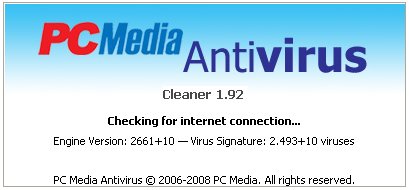
Untuk mendapatkan dan menggunakan update PCMAV ini, pastikan terlebih dahulu PCMAV RealTime Protector tidak sedang aktif. Jika iya, Anda harus menutup aplikasi tersebut terlebih dahulu. Lalu Anda cukup menjalankan PCMAV Cleaner (PCMAV-CLN.exe), tentunya komputer harus dalam keadaan aktif terhubung ke Internet (non-proxy).
Fitur GetUpdates dari PCMAV secara otomatis akan memberikan alamat internet yang aktif di mana Anda bisa men-download file update tersebut. Letakkan file hasil download tersebut (PCMAV.vdb) ke dalam folder di mana PCMAV berada. Jika sebelumnya telah terdapat file update yang lama, Anda cukup menimpanya. Dan nanti saat Anda kembali menjalankan PCMAV, ia sudah dalam keadaan kondisi ter-update.
Read More...
Winamp 5.541
Nullsoft Winamp is a fast, flexible, high-fidelity music player for Windows. Winamp supports MP3, CD, WMA, Audiosoft, Mjuice, MOD, WAV and other audio formats, custom appearances called skins and audio visualization and audio effect plug-ins. Download and enjoy it free of charge, free of guilt.
Features:
* Basic controls: play, pause, stop, forward song, previous song, select new song
* Built-in spectrum analyzer and oscilloscope
* Track info: author, title, bitrate, sample rate, time, etc.
* Additional controls: position slider, balance, volume, equalizer, playlist, shuffle and repeat
* Can run in unobtrusive windowshade mode.
* All windows dock seamlessly.
* Drag and drop playlist editing
* Create and save new playlists or load a previous playlist.
* Edit song information via ID3 tag editor.
* Sort by title and filename or randomize.
* Playlist displays current song duration and complete playlist duration for easy dubbing.
* Playlist can run without the main window, and includes mini-controls, time display, and visualization.
* Ten band graphic equalizer and built-in pre-amplifier
* Create and save new pre-amplifier and equalizer settings or load previous setttings.
* Create and save song-specific pre-amplifier and equalizer settings.
* Get up to the minute in information on Winamp.
* Browse Winamp´s Plugin and Skin collection to customize your copy of Winamp.
* Support for .wsz files in your skin directory as well as .zip files
* Bookmark playlists and SHOUTcast streams
The free lite version of Winamp is also available on FreewareFiles.com. The Lite version Plays MP3s, AAC, WMA, and more; Compatible with Winamp Plug-ins; and has Full Support for Classic Skins.
New Features:
* A Completely Redesigned Interface, including Album Art
* Multiple device support, including iPods
* Access and Share Your Music and Videos with Winamp Remote
* Play and Playlist the Best Music on the Web with Media Monitor
* Get Artist & Concert News, Videos & more with Smart Search
* Enjoy Dynamic Song Recommendations
* Experience MP3 Surround Sound Support
* Access to Thousands of Internet Radio Stations, Videos and More!
* 50 FREE MP3 Music Downloads compliments of eMusic’s 2-week Trial
* Auto-Tagger provides automatic updates to file information
* Control Winamp From Your Browser with the Winamp Toolbar
What’s New in version 5.54x:
* New: Chinese, Japanese & Korean installer translations and language packs
* New: [in_swf] Adobe Shockwave Flash (SWF, RTMP) playback support
* New: [gen_dropbox] Winamp DropBox alpha (use: Ctrl-Shift-D)
* New: [Online Services] AOL Radio featuring CBS Radio (requires in_flv)
* Improved: Background reading option for playlist metadata
* Improved: Classic songticker scrolling for Winamp Modern skin pledit winshade
* Improved: Vista elevation (fixes: installing skins, filetype reg, Pro reg)
* Improved: Zero padding option for playlist item numbers
* Improved: [in_flv] Better streaming support and other improvements
* Improved: [in_mp3] Added APEv2 tag options to configuration
* Improved: [in_mp3] Optional retention of existing APEv2 headers
* Improved: [ml_disc] Artwork support for Data CD Reader
* Improved: [ml_disc] Better detection of any copy operations in progress
* Improved: [ml_disc] Improved start times if ml_disc view is active
* Improved: [ml_local] Redesigned ‘Show Info’ panel
* Improved: [ml_nowplaying] Redesigned ‘Now Playing’ artist experience
* Improved: [ml_playlists] Right-click option to sort list of playlists alphabetically
* Improved: [pmp_usb] Connect/Disconnect/Blacklist config options
* Fixed: Alt+F4 closing Winamp instead of individual dialogs
* Fixed: Bento browser redirecting network drive url’s to Winamp Search
* Fixed: Blank playlist when in docked toolbar mode and Winamp is minimized
* Fixed: Modern skin component windows appearing individually in Alt+Tab
* Fixed: Multi-flashing on startup when previously closed whilst minimized to systray
* Fixed: Pure Virtual Function Call runtime crash errors
* Fixed: Redraw issue when built-in classic vis is disabled
* Fixed: Various multi-monitor docking issues
* Fixed: Various other 5.53-specific keyboard accelerator issues
* Fixed: [Bento] Drag+Drop into Playlist from Open Files dialog
* Fixed: [burnlib] ‘CD Drive locked by another Winamp process’ on 2nd burn attempt
* Fixed: [burnlib] ‘Burner releasing failed’ error
* Fixed: [dsp_sps] Crash on close when config Help dialog is still open
* Fixed: [enc_flac] MD5 checksum generation
* Fixed: [gen_ff] Attached vis plugin crash on winshade to normal mode in Modern skin
* Fixed: [gen_hotkeys] Assigning Winkey with already used Ctrl combinations
* Fixed: [gen_ml] Enter/Shift+Enter broken for ML treeview items (5.53-specific)
* Fixed: [in_cdda] Composer/Conductor logic bug when saving CDDB data to database
* Fixed: [in_flac] Minor metadata writing bugs
* Fixed: [in_midi] Seeking with ‘DM/MS Synth’ device in Streamed playback mode
* Fixed: [in_mp3] Crash on files with invalid/corrupt gapless data
* Fixed: [in_mp3] Create new ID3v1/v2 tags configuration setting
* Fixed: [in_vorbis] Huge lag on files with large embedded cover art
* Fixed: [in_vorbis] Metadata & Format Info display for streams in View File Info
* Fixed: [in_vorbis] Potential unicode-related crash on open/close issue
* Fixed: [jpeg.w5s] Saving corrupt album art
* Fixed: [ml_autotag] Results dialog hidden under Winamp when AOT is enabled
* Fixed: [ml_disc] Small resource leak
* Fixed: [ml_playlists] Enter/Shift+Enter broken for selected ML Playlist items
* Fixed: [ml_playlists / ml_transcode] Sending playlists from ML tree to Transcoder
* Fixed: [ml_wire] 404/timeout with valid rss feeds on Vista
* Misc: Miscellaneous localization tweaks, fixes & updates
* Misc: More miscellaneous general tweaks, improvements, fixes and optimizations
* Misc: Setup fixes (Agent not always starting, WLZ filetype not registering, etc)
* Misc: Various other ‘Winamp Modern’ & ‘Bento’ skin updates
* Misc: [enc_flac] Now encodes using libFLAC instead of Flake
* Updated: Bento skin v1.2
* Updated: freetype 2.3.7
* Updated: libpng 1.2.28
* Updated: [enc_lame] LAME 3.98
Source: winamp.com
Read More...
Magic Translator v.8.01
Magic Translator can translate word, sentence, passage, Web page, Web site among 11 languages: English, French, German, Spanish, Italian, Portuguese, Dutch, Russian, Chinese, Korean, Japanese. You can randomly choose the source and the destination language both from the 11 languages above.
Version 8 adds support for Unicode, display of Chinese, Japanese, Korean, Russian characters on English and European edition of Microsoft Windows, and may include unspecified updates, enhancements, and bug fixes. Works with Windows Vista.
Products Features
Translate whatever you can imagine, document, web contents, letters, chats, and emails and more.
Translation among 11 language: English, French, Spanish, German, Italian, Portuguese, Dutch, Russian, Chinese, Korean and Japanese.
Build-in, full-featured Word processor.
Support Microsoft Word, Notepad, WordPAD, Adobe Acrobat, Outlook Express, Outlook, Internet Explorer, Netscape Navigator, Frontpage and more.
100% Unicode compatible.
Unicode Viewer enables users to automatically download Chinese, Japanese, Korean, Russian fonts from Microsoft website, when neccessary.
Open a wide variety of documents, .DOC, .RTF and .TXT.
Save or print the translated text with a print.
Multilingual user interface: English, French, Spanish, German, Portuguese, Italian, Japanese.
Windows Vista compatibility certificated. Native support for Windows 95/98SE/ME/NT4/2000/XP/2003.
Read More...
CyberLink PowerCinema v6.0.2221 Multilingual
CyberLink PowerCinema 6 is an all-in-one digital media center, delivering a complete entertainment solution for the digital home. Compatible with USB and PCI TV tuner cards, PowerCinema lets you watch and record high-definition digital TV on your PC. A redesigned interface makes it convenient to quickly access your favorite media, including music, videos, photos, and DVDs.
PowerCinema is also perfect for portable TV and digital entertainment, transforming a notebook into an on-the-go media center. PowerCinema 6 gives you total control over your home entertainment. Schedule, record and watch your favorite television programs anytime you want in high-definition without missing a single episode. Watch your DVDs in crystal-clear images with PowerCinema 6 cutting edge DVD player technology and immerse yourself in crisp surround sounds the whole family can enjoy.
Total Media Entertainment Center
» Turn your PC into a total entertainment center
» Watch and record HDTV, enjoy DVD movies
» Browse your videos and photos, create slideshows
» Locate tracks and play music files
» Enjoy enhanced surround sound audio
» Quickly access your favorite files – whatever the media
TV and DVD
» Watch TV programs in high-definition via MPEG-4 AVC Decoder
» Easily locate your favorite programs with Star Ratings
» Schedule your PC to record shows via EPG
» Play movie DVDs with Dolby Digital audio
» Watch any movie in widescreen display mode
Radio and Music
» Listen to live radio with Time-Shifting technology
» Create your own personalized playlist
» Play multiple selection of tracks
» Locate your favorite music instantly using Quick Music Search
» Enjoy digital radio for DVB-T and DVB-S
Videos and Photos
» Easily browse and preview your videos and photos with Smart Thumbnails
» Remove photo red-eyes, auto fix contrast and brightness
» Conviently edit multiple photos all at once
» Display photos as a slideshow with background music and transition effects
» Play your videos in high-definition and other widely supported formats
Part I
Part II
Read More...
Yahoo! Messenger 9.0.0.2112
Use Yahoo! Messenger to call and talk over the Internet just like you're on the phone. All you need is a headset, or a microphone and speakers. It's that easy - just click the Call button. If no one's there, leave a voicemail.
You can also get much better sound quality than regular phone lines. Try it out - you and your friends will really hear a difference.
Find, add, share friends... It's easier than ever to add and invite friends to Messenger. You can even send your contact information to a friend's Address Book.
Title: Yahoo! Messenger 9.0.0.2112
Filename: ymsgr900_2112_us.exe
File size: 14.15MB (14,839,576 bytes)
Requirements: Windows 2000/XP/2003/Vista/XP64/Vista64
License: Freeware
Date added: January 13, 2009
Source: filehippo.com
Read More...


